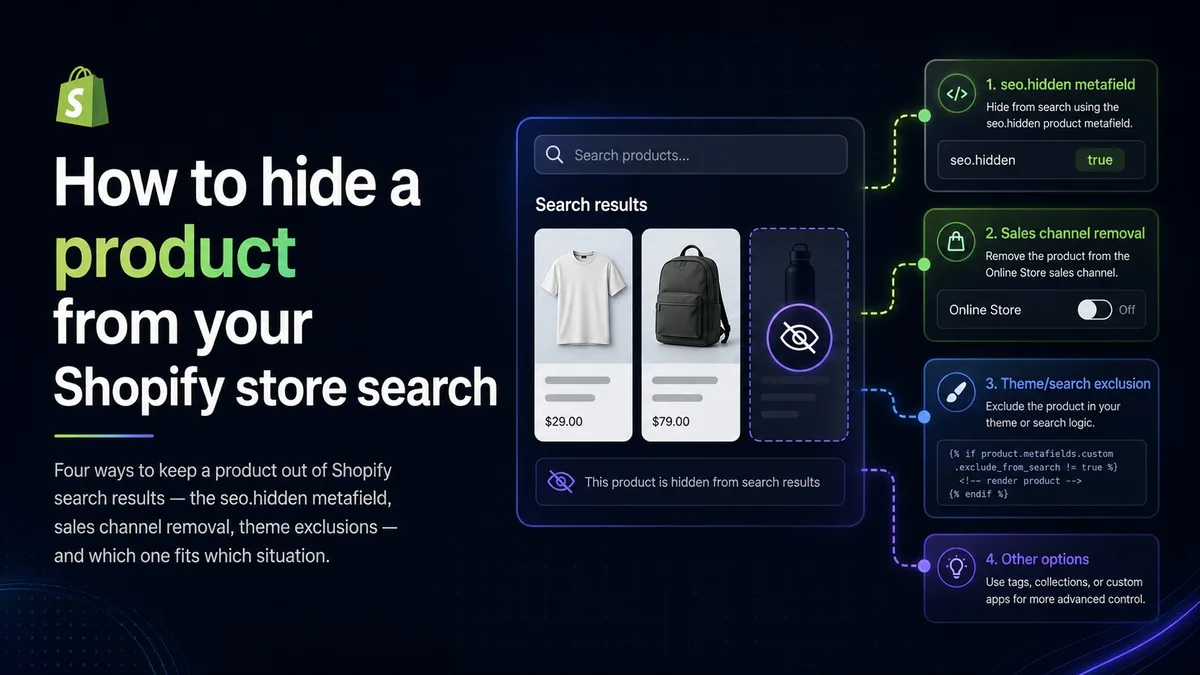
This is one of the most common small requests we get from merchants: a product needs to stay in the store, but it should not come up when customers search. Maybe it is a component that only sells inside a bundle, a product reserved for a private drop, an old SKU you still need for reorders, or something you sell in person but not online. We first wrote this guide in 2023; this is the 2026 rewrite, because both the admin and what "search" means have changed since.
What does "hidden" actually mean on Shopify?
There are at least four different places a product can show up, and they have different switches: your store's own search box, your collection pages, Google and other web search engines, and, newer, AI shopping assistants that read Shopify catalogs. Pick the method below based on which of those you actually need to control. The most common mistake we see is reaching for a heavy switch, like unpublishing, to solve a light problem, like search box noise.
How do I hide a product from search on Shopify?
For most cases the answer is a single built-in metafield. Shopify reserves the namespace seo with the key hidden. Set it on a product and Shopify adds noindex and nofollow tags to that product's page and drops it from your sitemap. Because it leaves the sitemap, it also stops appearing when customers use your storefront search.
- In your Shopify admin, go to Settings, then Custom data, then Products, and add a metafield definition with the namespace seo and the key hidden, of type Integer.
- Open the product, scroll to Metafields, and set that field to 1.
- To bring the product back later, set the value to 0 or delete the metafield.
The product page itself still works. Anyone with a direct link, or arriving from a bundle or a campaign email, can still buy it. Note what this does not do: the product can still appear in any collection it belongs to, so remove it from public collections as well if that matters. And because the switch works through your sitemap and meta tags, a product Google has already indexed will take a few weeks to drop out of its results.
How do I hide several products at once?
Create the metafield definition first, exactly as above. That one step is what makes bulk work possible, because an undefined metafield has no column to fill in. Once the definition exists, Shopify treats it like any other product field.
- Small batches: select the products in your Products list, open the bulk editor, add the seo hidden column, and set each row to 1.
- Larger catalogs: export your products to CSV, fill in the metafield column, and re-import.
- Rule-driven hiding, such as everything from one vendor or everything out of stock: use Shopify Flow, or the Admin API if you have a developer.
If you are hiding hundreds of SKUs by hand on a regular basis, that is usually a sign the catalog wants a rule rather than a chore. Flow handles most of those cases without custom code.
How do I hide a collection or a page from search?
The same metafield works. Shopify supports the seo hidden field on products, collections, pages, blogs and articles, so you can hide a clearance collection, a landing page built for a single campaign, or an old blog post using exactly the pattern above. The only extra step is creating the definition for that resource type too, under Settings, then Custom data, then Collections or Pages.
One caveat worth knowing: hiding a collection hides the collection page. It does not hide the products inside it, which remain reachable through search and through their own URLs. If the goal is to hide those products as well, set the field on each of them too.
How do I hide a product from the storefront completely?
If the product should not be reachable on your storefront at all, not by search and not by URL, manage its sales channels instead. On the product page, under Publishing, remove the Online Store channel, or set the product to Draft if it should not sell anywhere. The product keeps working on whatever channels you leave enabled, such as point of sale or a wholesale channel.
This is the honest choice for in-person-only items. The trade-off: the URL returns a 404, so existing links, ads and bookmarks break, and whatever search ranking the page had is gone. Do not use it for a product you plan to bring back for a seasonal drop. Use the metafield and unlist it from collections instead.
Can I turn off search on my store entirely?
Not with a single setting, and that is worth saying plainly because a lot of guides imply otherwise. Shopify has no switch that disables storefront search. What you can do is remove the ways customers reach it: in the theme editor, take the search icon out of your header and remove any search section from your templates.
Understand the limit of that. The search route still resolves, so anyone who types it or follows an old link still gets a working search page. Removing the entry points is housekeeping, not a lock. If the real goal is a catalog the public should not browse at all, that is a different tool: password-protect the store, or put the catalog behind a business-to-business setup so only logged-in customers can see it.
What about theme-level search exclusions?
Some themes and older tutorials filter search results in Liquid, tagging products and skipping them in the results loop. It still works, but treat it as a last resort. The excluded items still count toward pagination and result totals, so customers see twelve results and only ten products. It breaks silently on theme updates. And app-powered search, including Shopify's own Search and Discovery filtering, does not respect it. If you inherited one of these snippets, replacing it with the metafield is usually a fifteen-minute cleanup.
Does hiding a product remove it from Google and AI shopping assistants?
Hiding a product from your store's search box does nothing on its own to remove it from Google, because those are separate systems. The seo hidden metafield covers both reasonably well, since it removes the product from your sitemap and signals noindex. But if the product was indexed for a while, expect weeks before it falls out of Google's results, and remember anyone can still open the URL directly.
The newer wrinkle: AI assistants increasingly read Shopify catalogs and can build carts on a shopper's behalf. What governs visibility there is channel publication. If a product genuinely should not be discoverable or buyable through those surfaces, unpublish it from the relevant channels rather than relying on search hiding. Search hiding is a storefront courtesy; channel publication is the actual gate.
Which method should I use?
- Bundle components, gated or private products, quiet retirements: the seo hidden metafield, plus removal from public collections.
- Many products at once: the same metafield, applied through the bulk editor, a CSV import, or Flow.
- A campaign landing page or an old collection: the same metafield on that resource type.
- In-person or wholesale-only items: remove the Online Store channel.
- A product that should not sell anywhere right now: Draft status.
- Theme code filtering: only if you have no other option, and document it for whoever maintains the theme next.
One caution from experience: if you are hiding a product because inventory keeps overselling or stock is wrong, hiding treats the symptom. Fix the availability problem, which is usually an inventory-state or integration issue rather than a search issue.
If you have a messier version of this, hundreds of SKUs to hide, a business-to-business catalog that should only exist for logged-in buyers, or a theme with legacy search hacks layered on top, that is routine work for our Shopify practice. Ask, and we will tell you which switch actually fits.