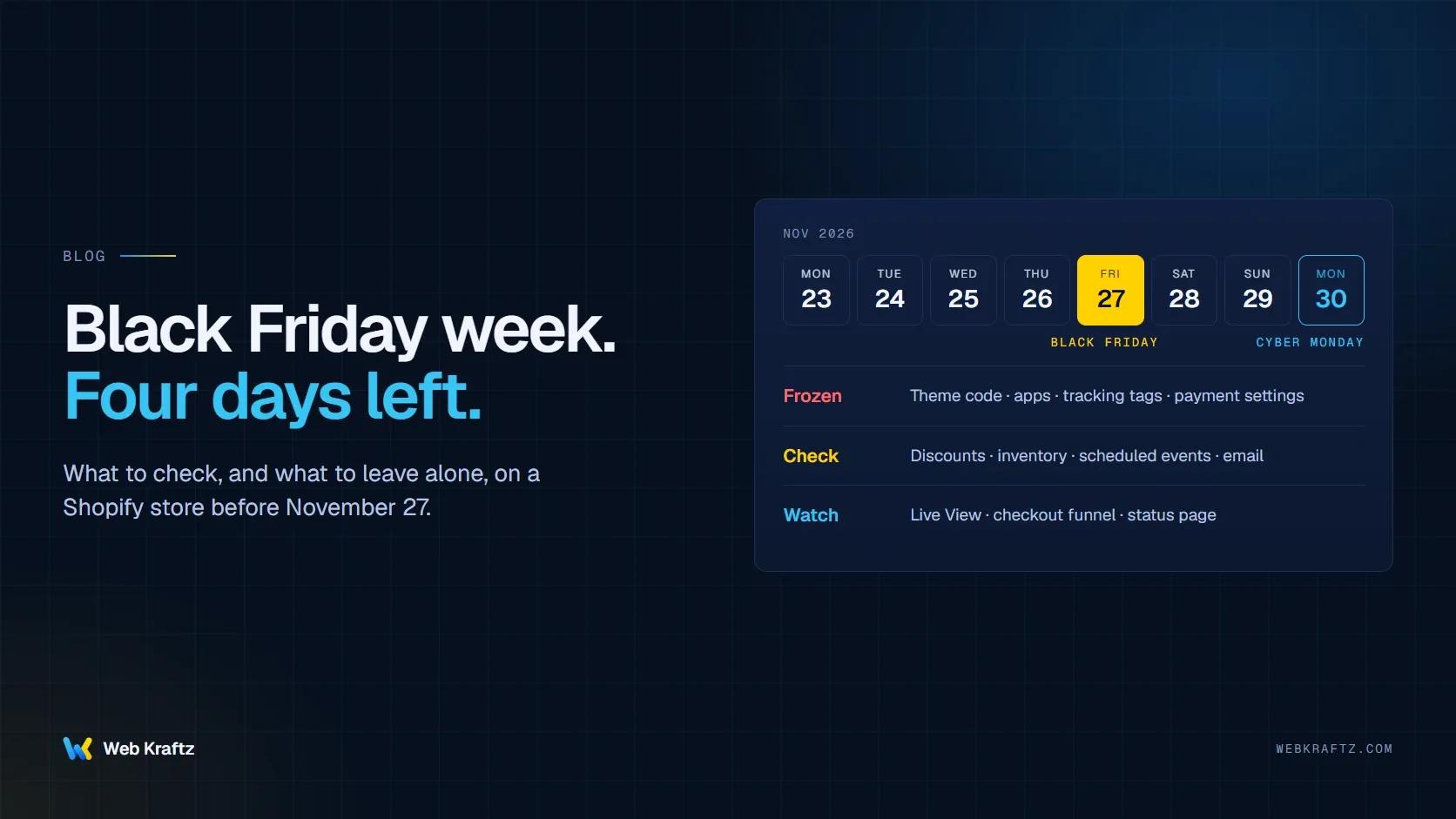
Black Friday is this Friday, November 27, and Cyber Monday is November 30. Last year Shopify merchants sold US$14.6 billion over the weekend, and sales peaked at US$5.1 million a minute at 12:01 p.m. Eastern on the Friday. Shopify's platform carried that. What goes wrong for an individual store is nearly always closer to home: a discount that doesn't combine, stock that oversells, an app that changed, or a well-meant edit on Thursday night.
In October we published the hardening checklist we run seven weeks out. This is the other end of it. With four days left, the work changes from making the store better to keeping it the way it is. Here is what we leave alone, what we check, and what we watch on the day.

Leave these alone until December 1
A freeze only works if it is specific. These are the things we do not touch this week unless something is already broken.
- Theme code and new sections. Content edits to a banner or an announcement bar are fine. Code is not.
- Apps. No new installs, no switching vendors, no turning on a feature you have not used before.
- Tracking tags and pixels. A new tag added on Wednesday is the classic way a checkout breaks on Friday.
- Shipping and tax settings. Rates, zones and profiles stay as tested.
- Payment settings, and above all test mode. Shopify's own documentation is blunt about it: customers can't place live orders while your payment providers are in test mode, and Shopify Payments test mode should not be activated on a production store. If you need to test, place a real order with a real card, then cancel and refund it.
If a change truly cannot wait, make it on a duplicate of the theme and publish that. When you publish a theme, the previous one moves to your draft themes, so rolling back is one click on Publish. A store can hold 20 themes, so delete an old one now if you are at the limit.

Check today and tomorrow
1. Discounts, in the combinations customers will actually try
Most Black Friday support tickets are some version of “my code didn't work”. The rules, from Shopify's discount combinations page:
- Two discounts combine only when the setting on each one allows the other's class. Turning it on for one side is not enough.
- A customer can use at most 5 product or order discount codes and 1 shipping discount code on an order.
- A store can have at most 25 active automatic discounts, and that total includes discounts created by apps.
- Products in a Buy X get Y discount can't receive any further product discount.
- Combining several product discounts on the same line item requires Shopify Plus.
- Combinations work on the Online Store, the Storefront API and Shopify POS. They are not available for checkouts on Facebook, Instagram, Google or other external checkouts.
Then check every start and end time against the store's time zone, and put one real order through with the combination you advertise in your emails.
2. Anything scheduled
If the sale is scheduled with Rollouts (available on Basic and higher), open it and read every change. An Event publishes its changes for a set period and then rolls them back. It can carry one theme change, one checkout and accounts change, discounts and catalog changes. Three details matter this week: an active rollout can be paused or ended early with Roll back changes; once a rollout is applied permanently it can't be reverted; and a discount that a rollout deactivates expires.
If you use Launchpad on Plus, know what happens when the event ends: event discounts disappear from every sales channel and the theme is replaced with the after-event theme you chose. Launchpad can't deactivate discount codes, so codes need their own end dates. And nothing runs a Script any more. Shopify Scripts were retired on June 30.
3. Inventory and the oversell switch
Open your five best-selling products and look at the Continue selling when out of stock setting on each variant. Decide it on purpose. Then make sure everyone reads the numbers the same way. In Shopify's inventory states, Available is what you can sell. Committed is stock set aside for unfulfilled orders, draft orders and transfers marked ready to ship. Unavailable is stock held back for reasons such as damage, quality control or safety stock. If an ERP or warehouse system pushes stock, confirm how often it syncs and what happens to a flash sale in the minutes between two syncs.
4. Bot protection for limited drops
On Plus, bot protection lives under Settings > Bot protection. It covers the Online Store channel only, applies to up to 500 products or the whole store, and one protection event lasts at most 60 minutes. That last number is the one to plan around: start it for the drop, not for the day.
5. Apps, because Shopify changed the rules this month
- November 20: IP allowlists. Public apps that did not set one up are delisted from the App Store and blocked from new installs. Existing installs keep working, but non-compliant apps are flagged under Settings > Apps, and bulk operations from an app without an allowlist fail. Look at that page today, and check that last night's exports and syncs actually ran.
- November 18: discounts on draft orders. A staff member without the Apply discounts permission can no longer add a discount to a draft order through an app, and the draft isn't saved. If your sales or wholesale team builds draft orders on Black Friday, check their permissions before Friday.
- December 1: abandoned checkout links. From that date, public apps without the required data access lose the abandoned checkout URL, with no error. Recovery emails and texts sent by such an app would go out without their link, in the middle of Cyber Week follow-ups. Ask your email and SMS vendor this week whether they are approved.
6. Email
If you send more than 5,000 messages a day to Gmail addresses, Google requires SPF, DKIM and DMARC on the sending domain, one-click unsubscribe on marketing mail, and a reported spam rate below 0.30% (Google advises staying under 0.10%). Yahoo asks for the same and expects unsubscribes to be honoured within two days. The practical rule for this week: do not send the sale to people you have not emailed since last November. Complaints from that one send can hurt delivery for the rest of the season.
7. Delivery promises
Put the last order date for Christmas delivery on the product page and in the cart, and set your own cut-off a day or two before the carrier's. USPS's 2026 dates for the contiguous United States are December 17 for Ground Advantage, December 18 for Priority Mail and December 19 for Priority Mail Express. Canada Post's are December 10 for Regular Parcel sent nationally (December 16 regionally, December 21 locally), December 14, 18 and 22 for Expedited Parcel, December 22, 22 and 23 for Xpresspost, and December 23 for Priority. UPS and FedEx publish their own schedules; read them on the carrier's site rather than a summary.
On the day: what to watch
- Live View. Under Analytics > Live View you see visitors active in the last 5 minutes and, for the last 10 minutes, sessions with active carts, sessions checking out and sessions that purchased. At peak traffic Shopify may show a banner saying there is a delay and live data will appear soon. That is the reporting catching up, not your store going down.
- The funnel. The Conversion rate breakdown report shows sessions, sessions with cart additions, sessions that reached checkout and sessions that completed it. A sudden drop between two steps tells you where to look.
- Be careful comparing conversion rate with last year. Shopify changed how it measures sessions between September 21 and 23, 2026, and says session-based metrics might be different in your reports. Compare orders and sales with last year, not conversion rate.
- The status page. Before you start changing things, look at shopifystatus.com. It notes that issues affecting a small percentage of stores may not appear there, so also ask Shopify Support.
- Orders from AI channels. A purchase completed inside an AI assistant never loads your storefront, so it is missing from browser analytics and pixel-based ad reports. Count those orders in Shopify by sales channel.
Three problems, and the first move for each
- “The discount isn't applying.” Open both discounts and check that each allows the other's class. Then check whether the product is in a Buy X get Y offer, and which channel the customer is checking out on.
- “We oversold.” Turn off Continue selling when out of stock on that variant, then write to the affected customers today with a choice: wait, swap or refund. A fast, plain email keeps most of them.
- “The site is slow or something looks broken.” Check the status page, then undo the most recent change. If that change was the theme, publish the previous theme from your draft themes.
One note for US stores using Shopify Protect: protection applies to eligible Shop Pay orders only when they are fulfilled with valid tracking within 7 days of the order being placed. If the warehouse falls behind in Cyber Week, that deadline is the one to watch.
After Cyber Monday
- Write down what broke and what nearly broke while people still remember. That list is next October's checklist.
- Confirm the returns and exchange flow before the first returns arrive.
- Ask your recovery email or SMS vendor about the December 1 change above.
- Lift the freeze deliberately, one change at a time, not all at once on Tuesday morning.
We run this for Shopify Plus clients and under monthly website management. If something breaks this week and you want a second pair of eyes, get in touch. For the longer preparation list, see the October checklist.