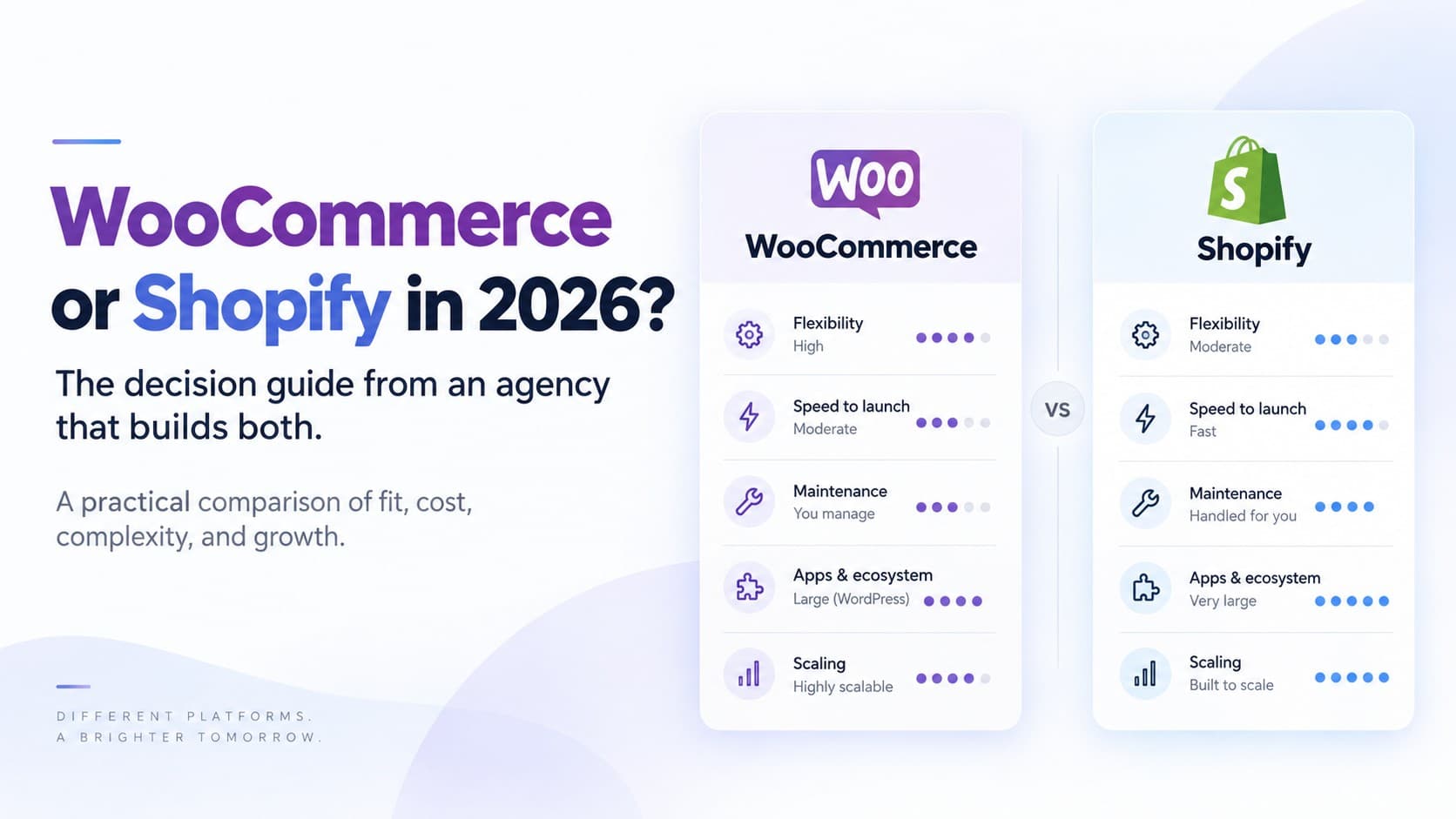
We get asked this every week, and the honest answer is that it depends on things most comparison articles skip. We've built on WordPress since 2012 and Shopify is now our largest practice, so we don't have a platform to sell you. This is the set of questions we actually walk through with a client, updated for where both platforms stand in September 2026, and the answers that usually fall out.
Start with the shape of the business, not the feature list
Feature-by-feature comparisons are mostly a wash: both platforms sell products, take payments, ship and integrate with the usual tools. The differences that decide it are structural:
- Who runs the site day to day? Shopify is a hosted platform: updates, security and scaling are Shopify's problem. WooCommerce is software you host, and it now ships a release roughly every month — 10.6 in March, 10.7 in April, 10.8 in May, 10.9 in June, 11.0 in August, 11.1 in early September, and 11.2 is due October 6 — on top of WordPress 7.0 in May. Every one of those is someone's job to test and apply. If that someone is you and you'd rather not, that's already an answer.
- Is content the product, or is product the product? If the site is primarily editorial — a publication, a course business, a membership community — with a shop attached, WordPress's content model is hard to beat, WordPress 7's real-time co-editing and refreshed admin make it better still, and WooCommerce lives inside it naturally. If the shop is the business and content supports it, Shopify's commerce core is stronger and the blog is good enough.
- How unusual is the checkout? Shopify's checkout is fast, trusted and constrained: you customize it through extensions and Functions, and Shopify keeps tightening that model (the hook that let an extension block checkout progress is deprecated as of the 2026-07 API in favour of server-side validation Functions). WooCommerce's checkout blocks have matured a lot, and underneath them are still templates and hooks you can bend any way you like — a strength when the flow is genuinely unusual and a liability when someone bends it badly.
- How many people touch it? Shopify's admin is easier to hand to non-technical staff. WordPress gives you role-based flexibility that big teams appreciate and small teams misconfigure.
What actually costs money
Both have a monthly cost; the shapes differ. Shopify's is predictable: the plan fee, app subscriptions and payment processing. One line people miss: if you don't use Shopify Payments, Shopify adds a fee on every order for using a third-party provider — 2% on Basic, 1% on Grow, 0.6% on Advanced and 0.2% on Plus, per Shopify's published pricing. WooCommerce's core is free, but hosting, premium plugins and — the one people forget — the maintenance hours add up, and the bill arrives as time rather than a subscription. When we cost the two honestly over three years for a mid-sized store, they land closer together than either camp claims. The question is whether you'd rather pay in dollars or in attention.
The 2026 wrinkle: AI shopping agents
This is new since the last time you compared them. Since June, Shopify catalogs are readable by AI agents by default, and since August every Shopify storefront exposes tools an agent-capable browser can use to search the catalog and manage a cart — nothing to install. On WooCommerce, being findable and buyable through an assistant is a project: structured data, feeds, and policies an agent can parse. It's a doable project, and we do it, but it's on your list rather than on by default. How much that matters depends on your category; for gift-heavy and “help me choose” products it already matters.
Where WooCommerce wins
- Content-first businesses where the shop is one part of a larger WordPress site.
- Genuinely unusual product or checkout logic that would fight Shopify's model.
- Full data and code ownership requirements — regulated industries, or teams that need to self-host.
- Multilingual, multi-site publishing setups already living on WordPress.
- EU-facing stores that want first-party control of compliance flows — WooCommerce 11.1 added a built-in right-of-withdrawal page, off by default.
Where Shopify wins
- Stores where conversion and checkout trust are the business — DTC brands especially. Shop Pay and the accelerated checkout are hard to match.
- Teams that want to spend zero hours on infrastructure.
- Omnichannel: POS, marketplaces, and agent visibility that's on by default rather than built.
- Growth-stage stores that will hit WooCommerce's scaling and plugin-conflict pain in the next two years. WooCommerce 11 made real performance gains — product object caching is on for new stores — but the gains are largest for fresh installs, not the six-year-old site with forty plugins.
The migration question
Most of the migrations we do are WooCommerce to Shopify, and the ones that go badly are the ones that treated it as a copy-paste. Products, customers and order history move; what gets forgotten is the subscription and loyalty data, the tax and shipping rules that were hiding in plugins, and the search traffic, which gets its own section below because it is where the real money is lost. Two platform-specific things to add this year: Shopify's shipping configuration moves to a per-market model starting October 1, so set shipping up the new way rather than importing the old one, and any app you plan to install that still relies on script tags stops working on March 1, 2027, so check before you commit to it.
The SEO side of switching, in either direction
Every product, category and blog URL changes when you move between these platforms, and search engines have to be walked from each old address to its new one. Done well, rankings wobble for a few weeks and settle. Done badly, a store can lose a large share of its organic traffic and take months to recover. This is the part we insist on scoping before anyone touches the catalog.
Plan the redirect map before you build anything
- Crawl the old site first and export every URL that gets traffic, from Search Console and from a full crawl. That list is the contract for the migration.
- Know the shape change. WooCommerce puts products at /product/name/ and categories at /product-category/name/, with permalinks you can set however you like. Shopify is fixed: products live at /products/handle, collections at /collections/handle, pages at /pages/handle and blog posts at /blogs/blog-name/post. There is no option to change that.
- Keep the slug. If the WooCommerce slug becomes the Shopify handle unchanged, most product redirects become mechanical and the risk of a typo in the map drops sharply.
- One 301 per old URL. Shopify's redirects are imported by CSV with two columns, old path and new path, and a store can hold 100,000 of them, or 20 million on Plus. That is plenty; the constraint is accuracy, not volume.
- There are no wildcards. Shopify saves a rule like /old-blog/* without complaint and then treats the asterisk as a literal character, so every request under it returns a 404 with no warning. Every redirect is one exact path. For pattern-based rules you need an app or a fully expanded list.
- Shopify will only redirect a URL that is currently broken. If an old path happens to resolve to a live page after launch, the redirect is ignored. Reserved paths cannot be redirected at all, including anything under /cart, /orders and /apps, and the fixed /products and /collections roots themselves.
- Category hierarchy flattens. WooCommerce nests categories; Shopify collections do not nest. Decide where each subcategory URL lands before launch rather than pointing them all at the homepage.
- Do not redirect filter and pagination URLs one by one. WooCommerce attribute filters and /page/2/ pagination are usually not indexed and not worth mapping. Redirect the parent and let the rest fall away.
What Shopify will not let you control
Coming from WordPress, the loss of control is what surprises people. The XML sitemap is generated for you and cannot be edited. robots.txt can be changed, but only through a Liquid template, and Shopify's own guidance is to add rules in Liquid rather than paste a plain file, so that its updates keep flowing. Set your custom domain as the primary domain on day one so canonicals never point at the myshopify.com address. And watch the theme: Shopify correctly canonicalizes /collections/x/products/y back to /products/y, but many themes still link to the nested version internally, which sends mixed signals. That is a one-line theme fix and it is worth making.
What moves badly unless you carry it deliberately
- Titles and meta descriptions. Yoast and Rank Math store them in WordPress; Shopify stores them in its own SEO fields per product, collection and page. A migration tool can map them, but only if someone tells it to.
- Alt text on images, for the same reason. It rides along with the image in WordPress and has to be written into Shopify's media fields.
- Structured data. On WooCommerce it usually comes from a plugin; on Shopify it comes from the theme. Test product, offer and breadcrumb markup after launch rather than assuming it survived.
- Image URLs change completely, because every file moves to Shopify's CDN. Google Images traffic drops and recovers slowly. There is no redirect for this; know that it is coming.
- Internal links inside your own blog posts still point at the old URLs. They will work through the redirects, but a chain of redirects is slower and weaker than a direct link, so rewrite the ones on your most important pages.
- Multilingual setups. WPML or Polylang URL structures do not map onto Shopify Markets one to one. If you run French and English, treat hreflang as its own workstream.
Going the other way, from Shopify to WooCommerce
This direction is friendlier to search than people expect, because WordPress lets you shape URLs and Shopify does not. WooCommerce's permalink settings let you set the product base to products and the category base to collections, so most product and collection URLs can survive the move unchanged. Blog posts cannot, since /blogs/name/post has no WordPress equivalent, so those get individual redirects. You regain full control of robots.txt, sitemaps and structured data. You also take back responsibility for hosting, updates and security, which is the trade the rest of this article is about. Usually this move happens when a business realizes it is a publisher with a shop rather than a shop with a blog. That is a legitimate decision, and we will say so if it is yours.
Timing, and what to watch afterward
Do not launch a migration inside your peak season; a wobble in October is survivable and a wobble in late November is not. Keep the old Search Console property, add the new sitemap, and skip the Change of Address tool unless the domain itself is changing. Then watch three things for a month: the crawl errors report for 404s you missed, impressions on your top twenty pages, and whether the new URLs are the ones being indexed. Expect a few weeks of turbulence. If it has not settled in six, something in the map is wrong, and it is worth finding before the loss compounds.
How we'd decide for you
In a free consultation we ask about the four structural questions above, look at your current site's traffic and revenue mix, and give you a written recommendation. Sometimes it's “stay on WooCommerce and fix these three things” — which is a cheaper answer than a migration, and one you'll only hear from an agency that's happy building either.
See our WordPress & WooCommerce work and our Shopify Plus practice, or book the consultation. If you're leaning Shopify, our launch checklist is what a careful migration finishes with, and our note on catalogs as an AI channel explains the agent side.